This works only on your computer
Wave goodbye
to the noise 
Block, collect, and share blocklists — remove eyesores and skip the nonsense.
Block, collect, and share blocklists — remove eyesores and skip the nonsense.
Pick an option to get started.
Collect and block everyone in one click.
Collect accounts and publish — without blocking.
One bookmarklet. Visit a followers or reposters page. Click — everyone gets blocked.
Collect accounts and publish them as a blocklist for the community.
Browse community blocklists. Install any list with a bookmarklet.
Loading lists...
Export your blocked accounts from X and publish them as a community list.
Drag the button to your bookmarks bar. Visit x.com/settings/blocked/all and click it.
Collect blocked accountsPaste the usernames, fill in the details, and publish.
One bookmarklet does everything. Set it up once, use it whenever.
Once it's in your bookmarks bar, you can reuse it anytime. Make sure your bookmarks bar is visible.
Collect & BlockGo to the account you want to block and open their followers (x.com/username/followers). Or open any post and tap View post activity to view reposters.
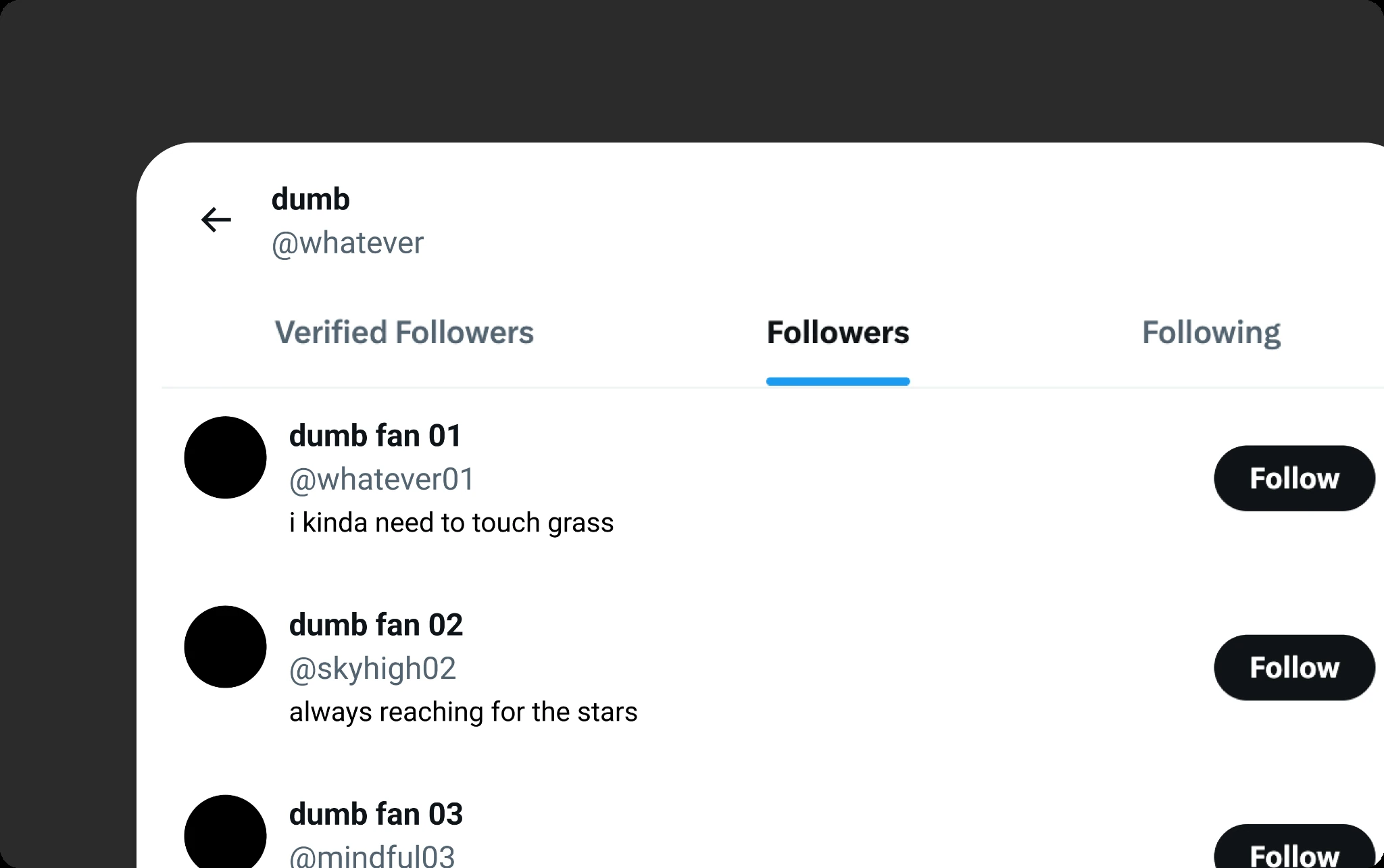
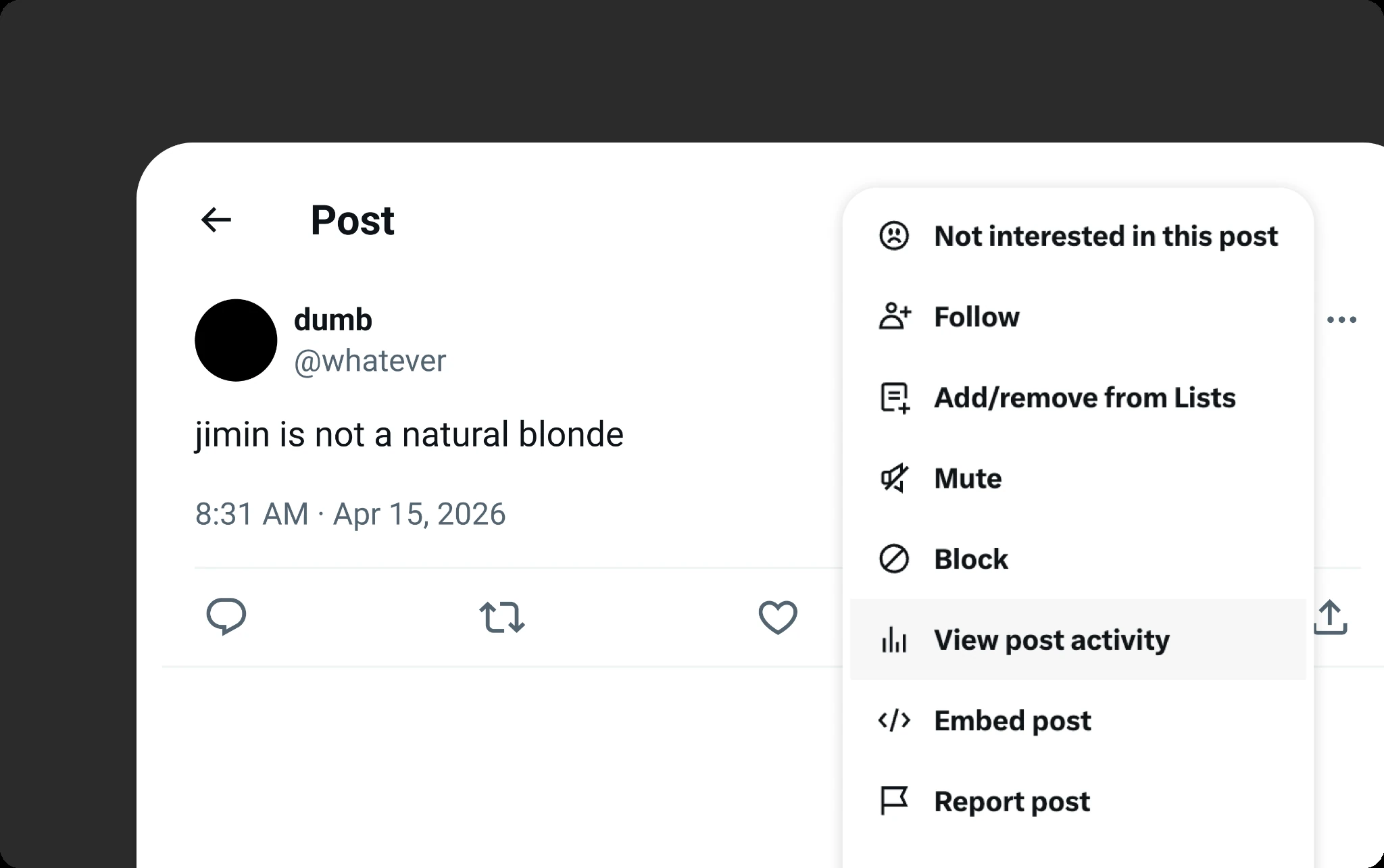
Once the list of people is showing, click "Collect & Block" in your bookmarks bar. It will scroll through the page and block automatically. When done, it copies the usernames to your clipboard.
After blocking, the accounts are on your clipboard. Paste them below to create a public blocklist others can install.
Collect followers or reposters without blocking — publish for others.
Once it's in your bookmarks bar, you can reuse it anytime. Make sure your bookmarks bar is visible.
Collect accountsGo to the account and open their followers (x.com/username/followers). Or open any post and tap View post activity to view reposters.
Once the list is showing, click "Collect accounts" in your bookmarks bar. It will scroll and collect automatically. When done, it copies the usernames to your clipboard.
Paste the collected usernames and publish.